Unfortunately, I was unable to create a recommendation post in November, and since we now was have Black Friday, stay in Advent, and it's not so soon to Christmas, I'm summarizing some things about the festive spirit here. Both recommended software packages are available free of charge for Windows, Linux, or OSX and can be used for commercial purposes without restriction.

Yes, most of you probably already know Blender. Nevertheless, I'd like to explicitly draw your attention to this spectacular 3D program and encourage everyone to use it regularly to create their own content for their VJ shows. Blender now masters not only all disciplines in the field of 3D creation but also has a really useful video sequencer for easily editing the results into videos. But in that view I'll also be discussing DaVinci Resolve in this recommendation post, becuse that allows a high professional-level for videocutting, video VFX, color grading, and even sound design.
But first, let's get back to Blender. Version 5.0 is a remarkable release with many incredible and noteworthy new features, and since the introduction of the Geometry Node in version 3, this has developed enormously forwording, especially to our advantage as VJs or content producers for visuals is'it a greatful thing that Geometry Node. It not only simplifies complex tasks but also makes many things possible in the first place. Above all, it gives you absolute control over many options and settings in a very user-friendly way. Anyone who has ever used Blender to create video loops or visuals in general has almost certainly accessed the capabilities of the Geometry Node. This means that once you've learned the basics of Blender, you should immediately dedicate yourself to exploring this node type. You'll also find that many trick effect add-ons are largely based on Geometry nodes. However, by no means everything that is potentially possible with it has been done or discovered yet, and it is constantly being expanded with sub-nodes and additional functions, essentially evolving into a kind of subsystem within Blender itself. Of course, the rest of the indispensable modifiers are also absolutely essential for creating visuals, and Blender offers so many such tools and elements that one has to be careful not to get too lost in them.
But to emphasize once again, Blender 5.0 has indeed set some major new milestones; it's a groundbreaking update in many respects and has been long awaited.
https://youtu.be/4wEqD-jK0DU Blender5 news overview by Jonathan Lampel & frinds from CGCookie
All of this leads me to explicitly and highly recommend Blender here for VJ's and Videoartists.
https://www.blender.org/
Besides the actual Blender software with all its spectacular tools and features, there are now and up countless free add-ons for Blender that make your work significantly easier and seem perfectly suited to the VJ workflow. Some even come with ready-to-use assets, while others allow you to quickly create assets or attractive 3D objects, and again others allow you to incorporate Hollywood-style special effects in a very quick and simple way with just a few clicks. Make sure you download the correct version for your Blender version. I tested many of the ones listed below in "Blendr 4.5 LTS," but there are certainly more up-to-date versions available for Blender 5.
& I found many free add-ons via YouTube. Here's a list of some that I found interesting or extremely useful. I didn't even search extensively, so there are probably many more to discover, but here's my short list:
Buildify - a quick and easy way to create blocks of houses:
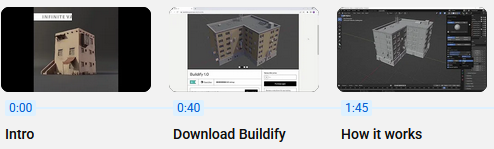
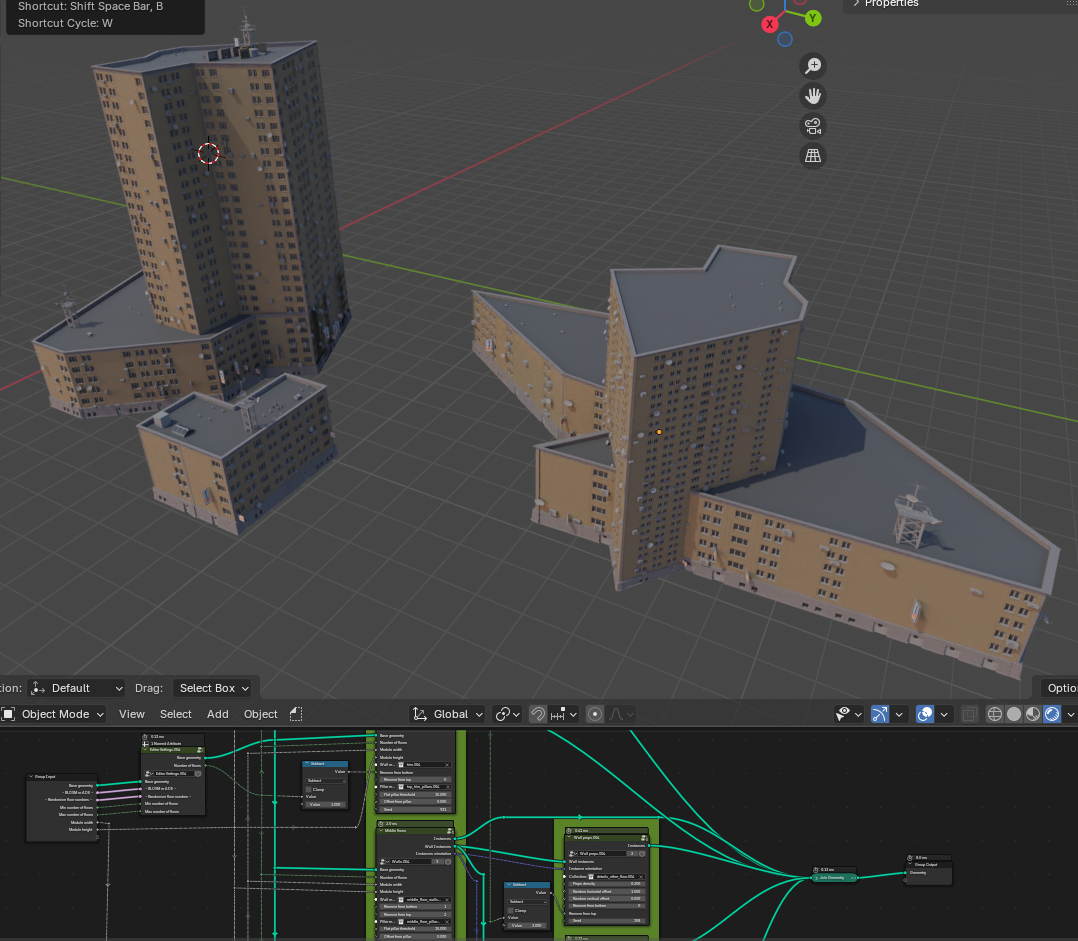 The individual objects can be nested within each other to create larger structures
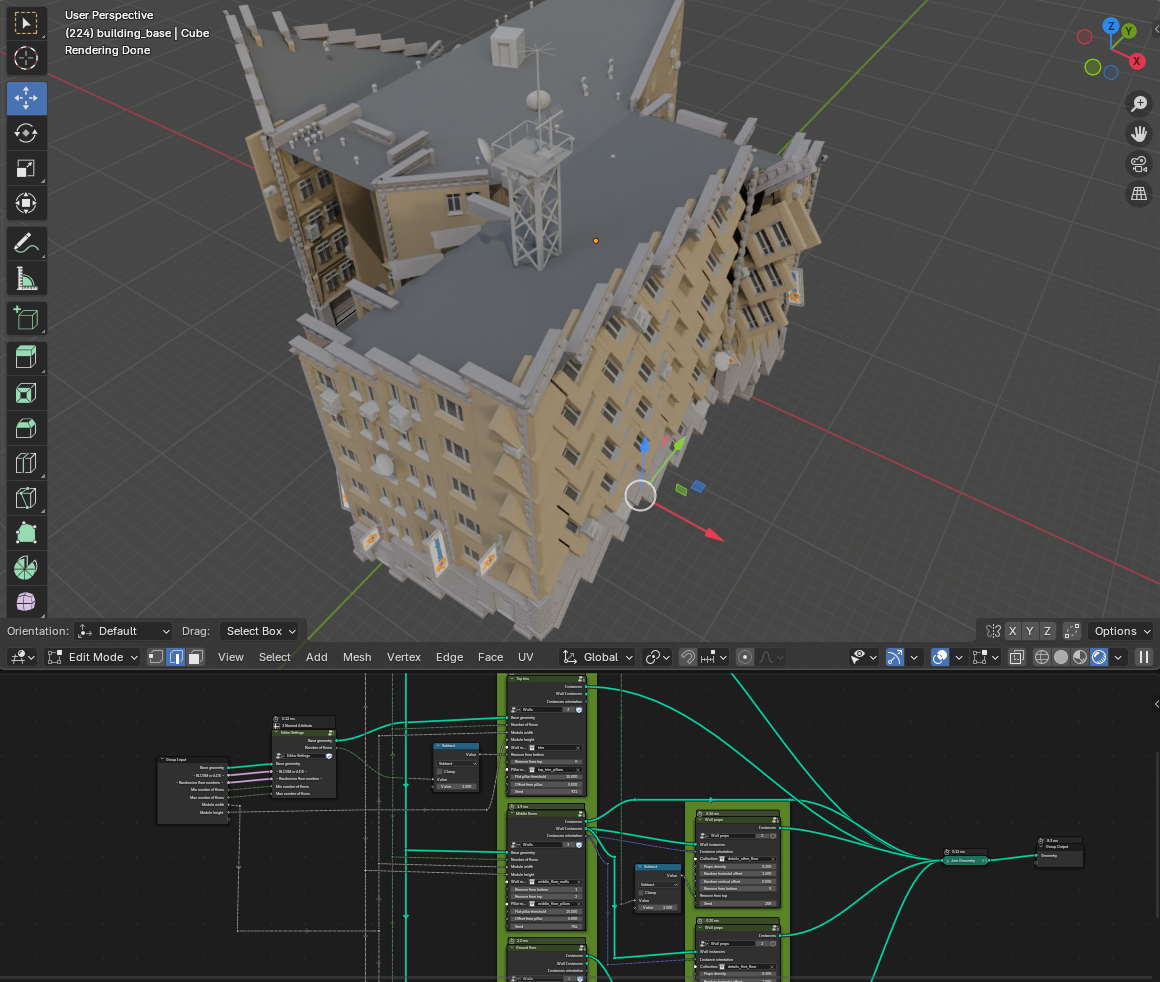 Abstract, illusory designs are also possible
I found Buildify via this YouTube Video:
https://www.youtube.com/watch?v=0Ch7qlc0fE8&list=PLZhRms_gRbtFnhg0zDT0eFNE8sgLKWRuL&index=30
& the YT video description contains a link to the free Blender add-on.
📌
📌
📌
BagaPie Modifier - is a very comprehensive add-on with assets in the paid version, but the free version still offers a fantastic number of very useful features. I particularly appreciate the grouping function, as this feature was simply removed from Blender self after Blender 2.7, but it's extremely important, even indispensable, for my own workflow. I simply dislike the whole child/adult object systems; for my generally simpler creations, this overly complicated child/adult object system is a real ordeal. With the "BagaPie Modifier," I get the good old grouping function back, allowing me to quickly and efficiently animate individual objects together with a single centered or rapidly adapted pivot point. But there's also a extrem huge number of other features and additional modifiers coms with BagaPie-Modifier. It's well worth taking a look and seeing what's available in the free version. I highly recommend it.
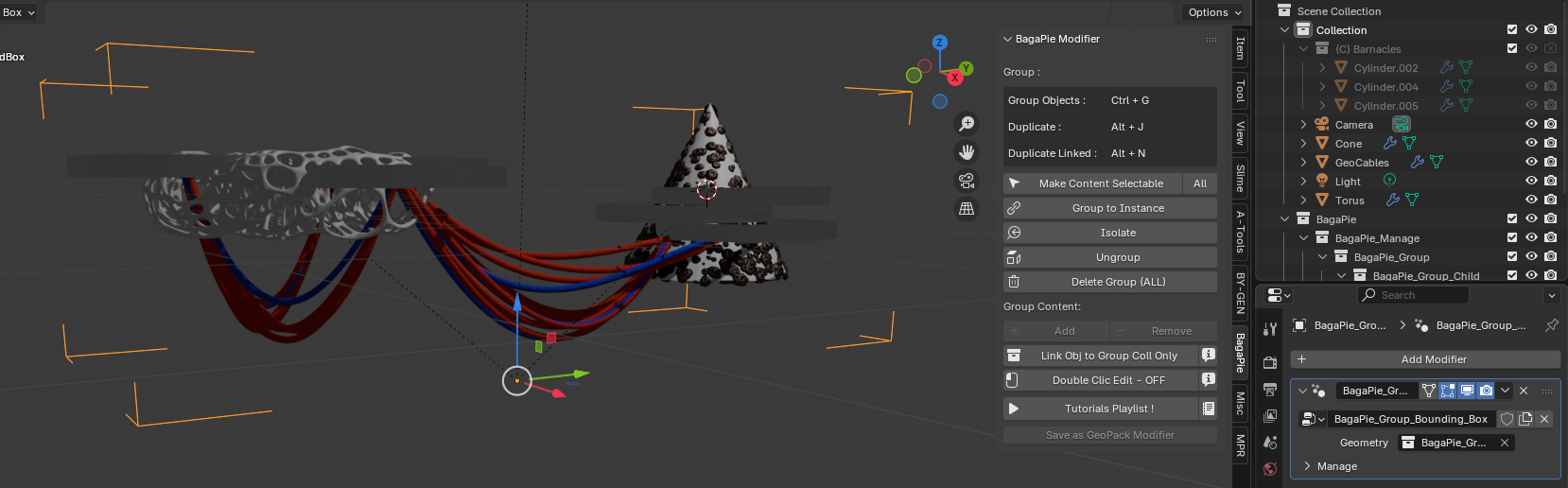 3+ grouped objects in the group box
BagaPie provide 50+ tools for architecture and environment
https://extensions.blender.org/add-ons/bagapie/
The tutorial on Youtube:
https://www.youtube.com/playlist?list=PLSVXpfzibQbh_qjzCP2buB2rK1lQtkQvu
https://abaga.gumroad.com/l/BbGVh
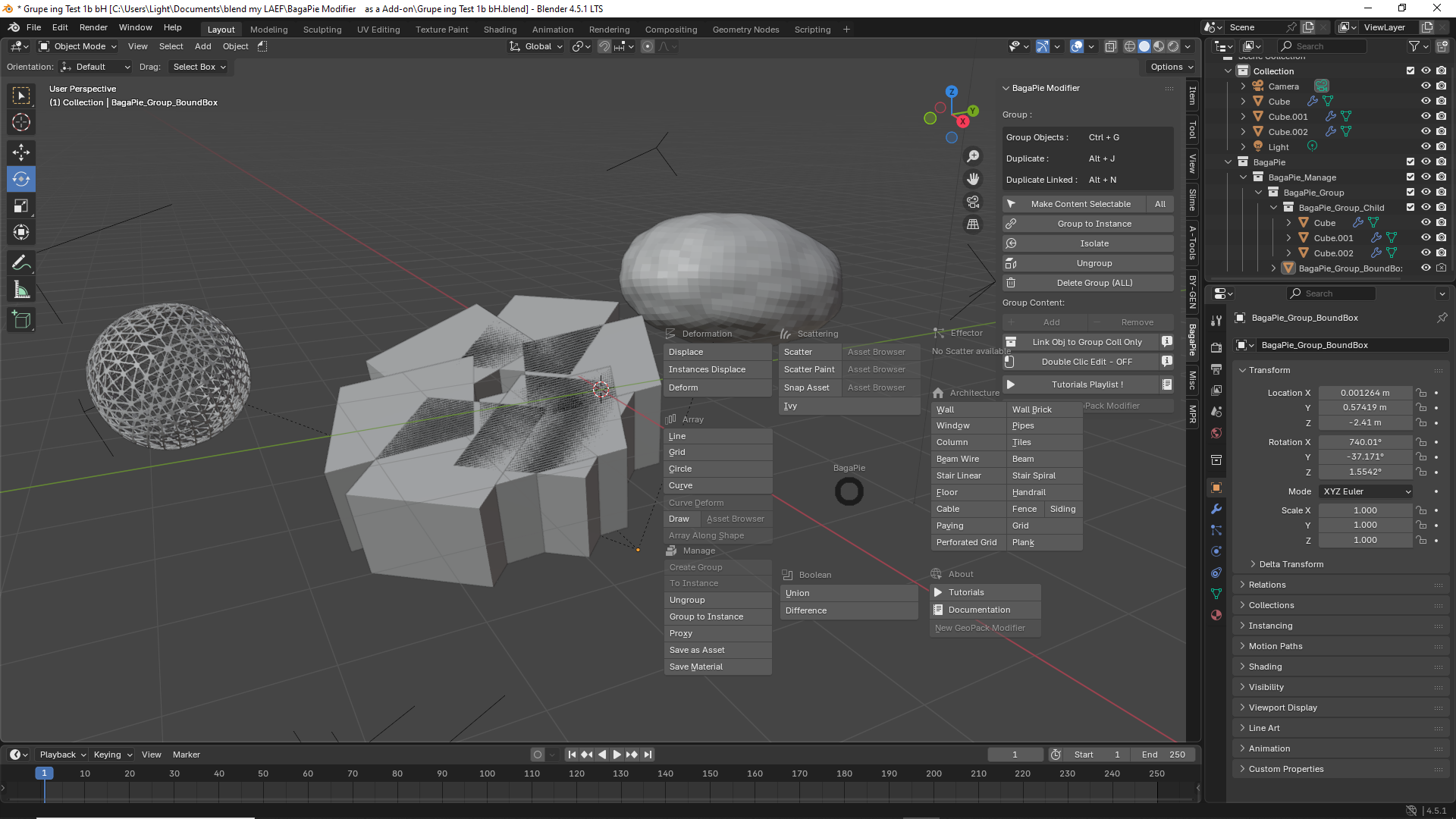 The custom user interface, which you can access with "j", immediately shows how extensive the possibilities are
📌
📌
📌
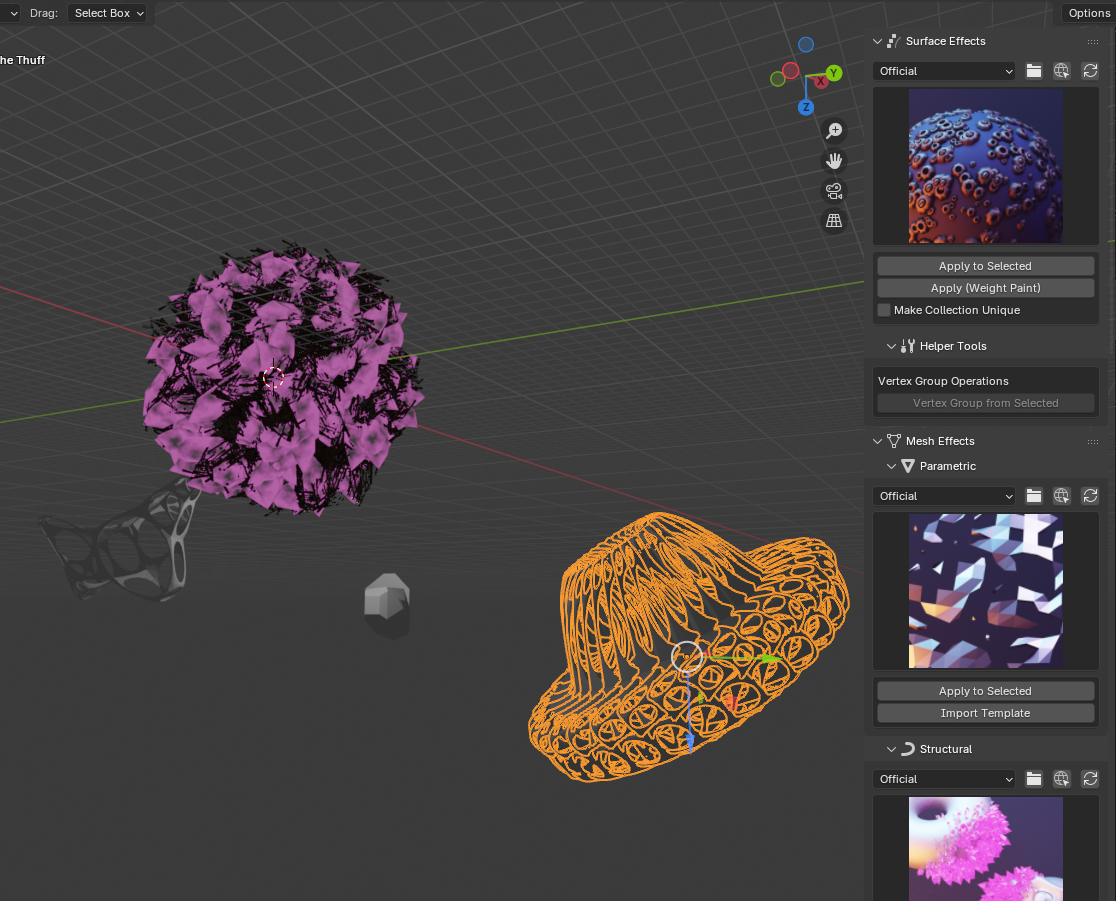
I also find the possibilities of BY-GEN very interesting, even amusing
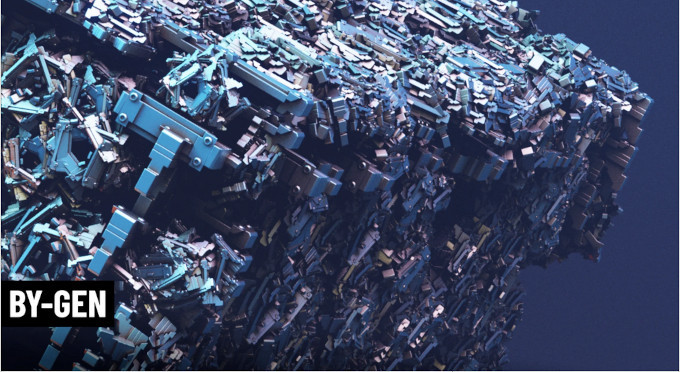
https://curtisjamesholt.gumroad.com/l/BY-GEN
BY-GEN is a multipurpose toolkit designed to help people create artwork utilizing generative techniques within Blender.
📌
📌
📌
Another highlight from the range of free Blender add-ons is:
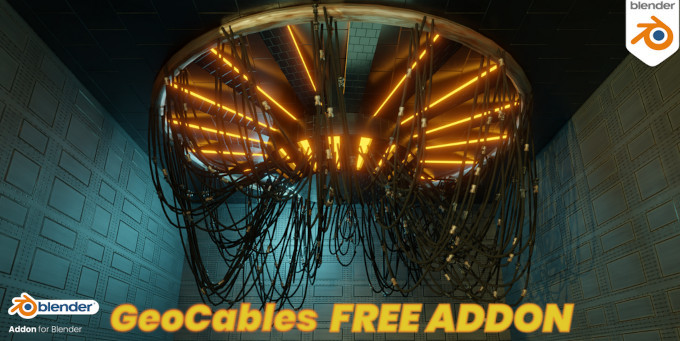
https://youtu.be/OCTwhHCklvs /
https://amanbairwal.gumroad.com/l/GeoCables
📌
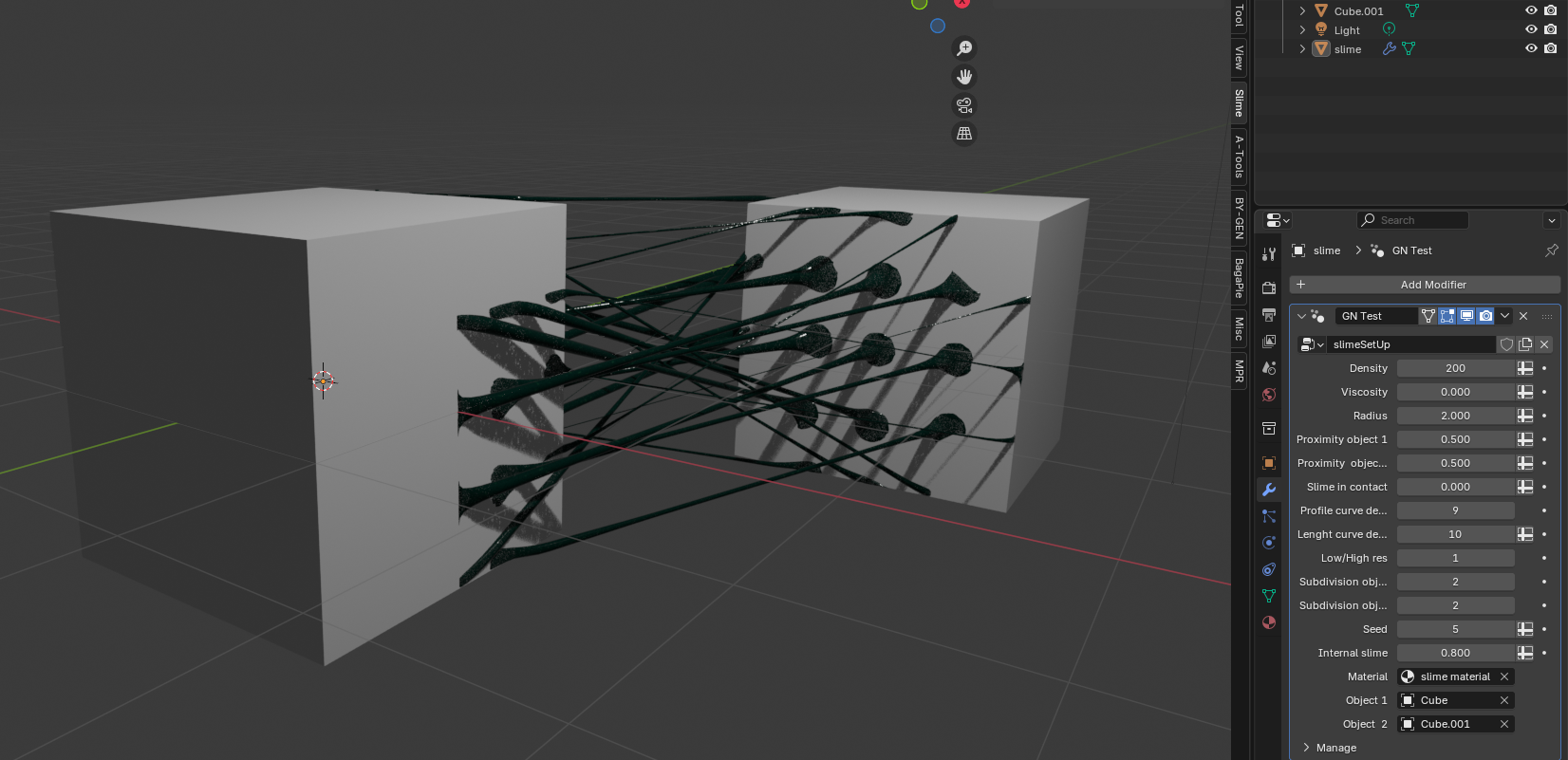
However, there is a very similar newer variant called Slime:
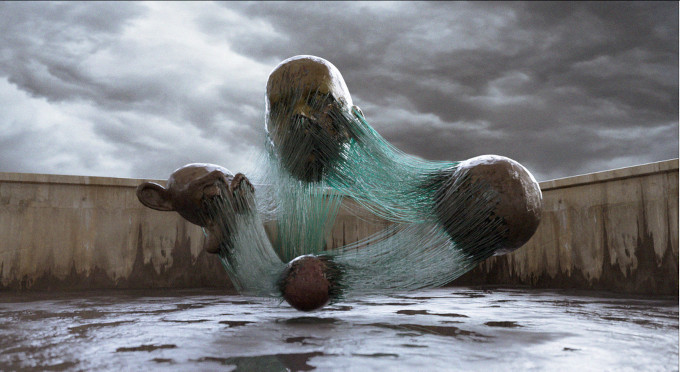
Procedural Slime Add-on for Blender
https://artichoke18.gumroad.com/l/spsra
https://www.youtube.com/watch?v=cJEvaeTNCkw
📌
📌
📌
A complex collection of assets in the sci-fi segment is also available if you are willing to disclose your email address, i.e., register with the provider:
Mission to Minerva - kitbash3D File Size 4.11GB
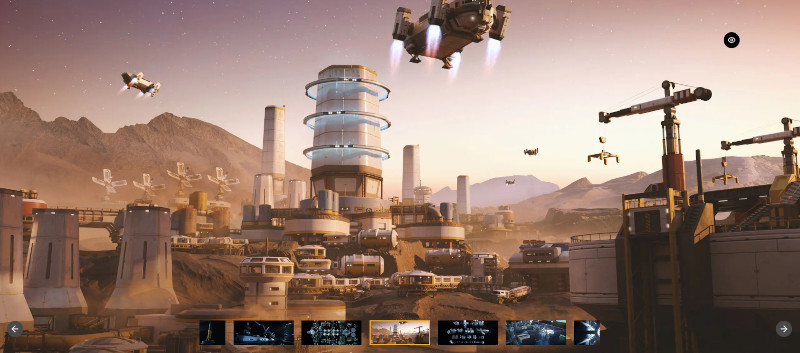 You can build similar scenes with it (excluding the landscape
I found it via: https://www.youtube.com/watch?v=764ND4wgVrM where the download link can be found in the video description.
It's important to understand that these are simply many individual elements that can be used to create your own scenes, and loading all the assets before you can use them is somewhat GPU-intensive. Not really recommended for a mid-range laptop, but otherwise a thoroughly valuable and recommendable collection of objects.
🎀🎄🥳🎁🎁🥳🎄🎀
🙆💖😋
🎄➕🎁➕🎁🎀💫👏
In addition, YouTube offers a wealth of ideal tutorial projects for VJs, which can be used as V-Loops or content. Usually, you have to recreate them yourself step by step, or you can pay a very small fee to download the finished project file. I highly recommend working through the tutorials & rebuild all like it' shown in the videos to access the content for free. This approach offers many advantages: You constantly learn new techniques, tools, and workflows in Blender; you can easily adapt the projects to your own tastes or needs because you know exactly where and how everything is created and determined; you can immediately see if things work in your own, often newer, Blender version or look for solutions within the development process. On the other hand, if you were to download the entire project, it might not even open in your own Blender version, or it might be missing a lot of components, or it might be incorrectly structured, leaving you unsure of the source of the errors and why it doesn't work as shown. There are other reasons why reproducing the tutorial projects yourself is advisable, which I recommend. I can also provide some links here, although you can often find further useful resources in the channels where these are located. If you search on YouTube using keywords, I recommend "geometrienode," "effect," "visual," "VJ loop," etc., always in conjunction with the search term "Blender," for example, "Blender Geometrienode." In the links I've listed, you'll also find tag lists that can be helpful for further searching. If you use the YouTube app and access the relevant tutorials through it, YouTube will also frequently suggest similar or related videos. Some of these are quite useful or at least lead you to other interesting and helpful videos. I can only say that you can find a wealth of useful material this way, and it's more a question of how much time you're willing to invest in recreating the projects based on all the tutorials. Often, individual steps aren't shown or explained precisely, such as how and where to do what in Blender. Consider this a challenge and don't immediately abandon what you've started. However, there are also videos specifically designed to trick you into purchasing the project. Therefore, if you find that certain videos consistently contain gaps in explanation, consider dismissing that project and that source/channel.
Examples/tutorials of video loops and content created with Blender:
https://www.youtube.com/watch?v=eTGCBiaZwPU&list=PLZhRms_gRbtFnhg0zDT0eFNE8sgLKWRuL&index=12 Cryspi
https://www.youtube.com/watch?v=GbkFn2yaOgg 5 Ways to Make Looping Animations
https://www.youtube.com/watch?v=RK2k9Fi455M Skull Art Trippy Animation Loop
https://www.youtube.com/watch?v=DtaPL8g1dZo&t=68s Animated Mandala's
https://www.youtube.com/watch?v=Y7o5DlKAYXM&t=640s you mast animat it by your self
https://www.youtube.com/watch?v=tfEe8lofq_E VJ-Loop lighteningTriangleDesign
https://www.youtube.com/watch?v=mQPFjzAgGQo&list=PLZhRms_gRbtFnhg0zDT0eFNE8sgLKWRuL&index=5 Diamant
💫😋
🎀🎄🥳🎁🎁🥳🎄🎀
😉🍒🎆
You will definitely benefit enormously, experience success in various ways, and bring joy to yourself and others if you are willing to engage with this truly gigantic, glorious, and endlessly versatile free 3D program. The more time you invest, the more exponential your returns will be.
As a true VJ, you should simply use Blender and at least master the basics; otherwise, you'll miss out on a wonderful gift and one of the most effective opportunities to create your own content and solidify your personal style.
As mentioned, Blender 5.0 once again features groundbreaking innovations and improvements. Many clever developers have worked on this major update for the community for a long time, and the results are more than impressive. Blender has been a serious competitor in the 3D market for years, but now it is increasingly becoming a leader in the field, setting new standards. Considering that competing products like Maya, Cinema3D, etc., cost a lot of money and constantly incur update fees, Blender truly earns its name and eclipses all competitors as open-source and therefore free software. Those who have built up extensive expertise with paid programs now only regret it when they look at Blender. It is therefore worthwhile in every respect to familiarize oneself with Blender, even if one only learns and masters the basic functions and operation. Of course, one can always build upon this foundation in stages, expanding this know-how and specifically targeting the desired results, such as looped animations for VJs.
Some interesting YouTube channels for Blender enthusiasts:
https://www.youtube.com/@BlenderOfficial
https://www.youtube.com/@blendereverything
https://www.youtube.com/@CartesianCaramel
https://www.youtube.com/@cg_cookie
https://www.youtube.com/@christopher3d475
https://www.youtube.com/@TheDucky3D
https://www.youtube.com/@architecturetopics
https://www.youtube.com/@MalikoseStudio
https://www.youtube.com/@bradleyanimation120
https://www.youtube.com/results?search_query=polyfjord
🎄🎄🎄🎄🎄🎄🎄🎄🎄🎄🎄🎄🎄
🎀🎀🎀🎀🎀🎀🎀🎀
🌲🎄🌲🎄🌲🎄🌲
As promised at the beginning, this month I'd like to recommend another piece of software that's almost indispensable and incredibly helpful for VJs. This software, especially when used with Blender, elevates the results to a whole new level. While this software is primarily a paid program, it also offers a free version that is perfectly usable and leaves little to be desired.
DaVinci Resolve is a solution that combines editing, color correction, visual effects, motion graphics and audio post production all in one software tool!
The main GUI is divided into "pages," each of which gives you a dedicated workspace and tools for a specific task. Editing is done on the cut and edit pages, visual effects and motion graphics on the Fusion page, color correction on the color page, audio on the Fairlight page, and media organization and output on the media and deliver pages.
With DaVinci Resolve from Blackmagic Design in its free version, you can, for example, transform animation frames calculated in Blender into the required format—that is, cut and edit them. But above all, you can significantly refine the Blender results with special effects or combine various individually calculated animations from Blender and/or live-action footage into a perfect compositing, adding special effects and making color adjustments—all at a flawless, up-to-date professional level. Blackmagic Design is incredibly generous with the features included in the free version, allowing the use of virtually all the essential tools and features. The amazing thing is that the results and application are completely legal for commercial projects. So, if you, as a VJ, use the results at large events, in clubs, etc., you can do so without any restrictions. Furthermore, many important input and output formats, including video codecs and resolutions, are supported, leaving almost nothing to be desired in DaVinci Resolve, even in its free version.
https://www.youtube.com/watch?v=wOwvjUMvtS0
What's new in Davinci-Resolve 20
Blackmagic Design is incredibly generous with its free version, allowing you to use virtually all the essential tools and features. DaVinci Resolve is one of the most sought-after applications in professional settings, making it well worth investing time to learn. If you later decide to upgrade to the full version for the relatively inexpensive $300 USD, you'll receive free updates and stay up-to-date. This business policy has been in place for over 10 years, which is quite unique and, price-wise, puts any comparable software in the shade. However, whether this update policy will continue indefinitely is not guaranteed and could change. The full version truly leaves nothing to be desired in the field of video editing; you'll benefit from the latest developments, as Blackmagic Design is one of the absolute leaders in the film industry.
The software itself consists of two originally separate, highly successful applications, now combined into one. Therefore, learning the free version is definitely worthwhile, even several times over.
Please find detailed information about features and everything else on the excellent and easy-to-understand DaVinci Resolve website.
If you have any questions, there's a great forum, and in addition, a wealth of extra information is scattered across the web, including tons of tutorials, tips, and other useful information about DaVinci Resolve on YouTube.
https://www.blackmagicdesign.com/products/davinciresolve WEB-Site and DL-Point
https://www.youtube.com/@BlackmagicDesignOfficial/playlists YT officials EN & +
Tutorials of V20:
https://www.youtube.com/watch?v=CC_-V5qjhaY EN
https://www.youtube.com/watch?v=9i_fBGKEfHo&list=PLzlU7AmRSD8YCSar4ZdlNPpDce_lDbLe2 EN/Hindi
https://www.youtube.com/watch?v=V-xeBtNRZuo German
https://www.youtube.com/watch?v=JLWrTXB5UCQ&list=PLXOjugT7lRkrp_Lu8oFbDUr0nnYZspuTR FR
& here you can find some free plugins; but there are certainly many more:
https://www.freevisuals.net/post/davinci-resolve-plugins
🍒🎆🙆✨🌟⭐😁⭐🌟✨🙋🎆🍒
📻📢💍🎇📻🎄📻🎇💍📢📻
🎀📻🎀📻🎀

And to make full use of the audio part of DavinciResolve, I'll add 2-3 top radio stations to my recommendation, because, as we all know, sound is what makes the music, or more precisely, it adds flavor and supports the visuals in detail.
https://maxxima.ch/
with no commercial breaks and minimal moderation
The radio station that sets the rhythm for your day with a unique and engaging musical program. Enjoy our 24/7 selection of electronic music and never miss a thing thanks to our replayable sessions on Mixcloud.
If you receive an error message while loading, you can alternatively access it via this link: https://radio-online.ch/140-maxxima-radio.html
BeachGrooves Radio – Bringing you quality house music from Djs from around the world, as well as local talent from Marbella and surrounding area, 24 hours a day, 7 days a week, more than 13 years in Marbella.
best Deep Electro Pop Dance Expérience
bring's you onlygoodvibes !!
So, now I wish you all the most wonderful days of the year, peaceful but full of fun with many nice people, and we'll hear from each other again next year. Oh yes, maybe I'll even get around to uploading the free Christmas Arena plugin, which I'm still putting the finishing touches on. We'll see.
🎄✨🌟⭐🙋🍒🎁🍒🙆⭐🌟✨🎄
Warm greetings from the snowy Swiss mountains, yours truly, bennoH.🐼🐹🐹🐹🐹



Top comments (0)